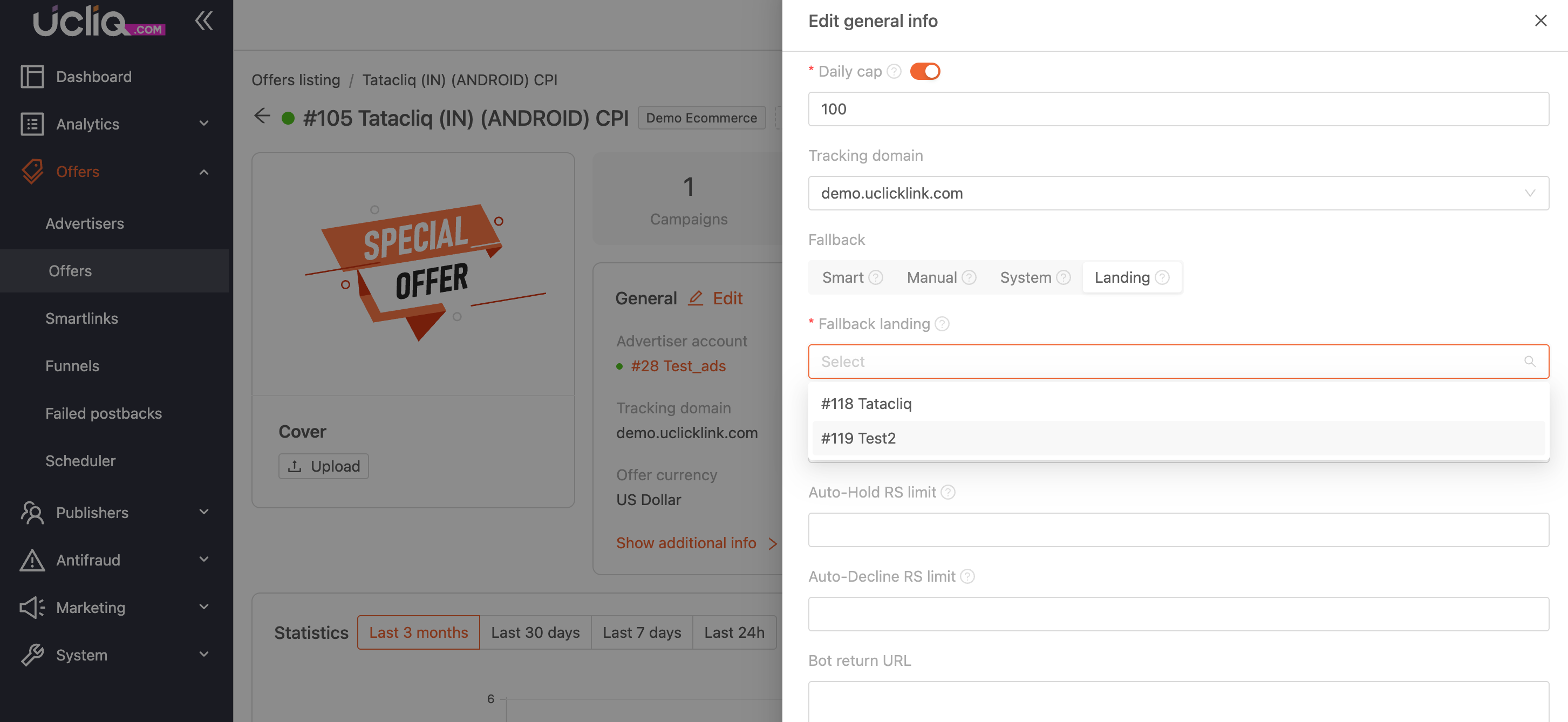
Fallback is a mechanism that redirects traffic when an offer cannot accept a click. This ensures that traffic isn’t wasted and is sent to an alternative destination.
Reasons for Fallback Activation
A fallback may trigger due to various reasons:
-
The click doesn’t match the offer’s targeting criteria.
-
The offer has reached its conversion limit.
-
The publisher is blocked.
-
The system detects a bot.
Fallback Types
When configuring an offer, you can choose one of three fallback types:
Manual: Specify a custom URL to redirect unsuitable traffic.
System: Use the default fallback link set in the system settings.
Smart: Activates a smart fallback, where the click is redirected to a smartlink that attempts to match it with another offer based on similar targeting and category.
Landing: Selects the landing page to which traffic will go in case of fallback
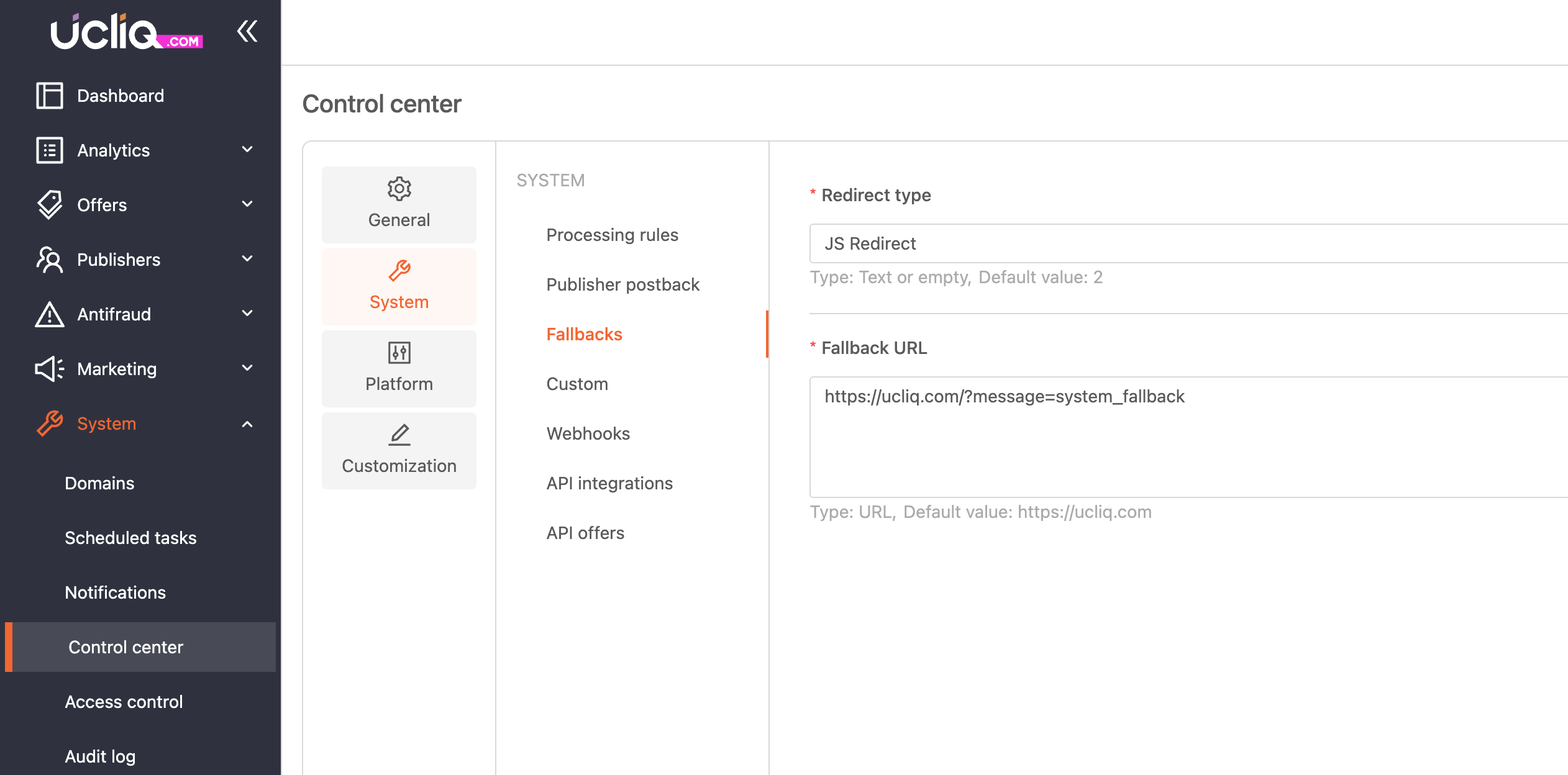
Platform-Global Fallback Settings
At the platform level, you can configure a default fallback and redirect type in the system settings:
System > Control Center > System > Fallbacks
Offer Fallback Settings
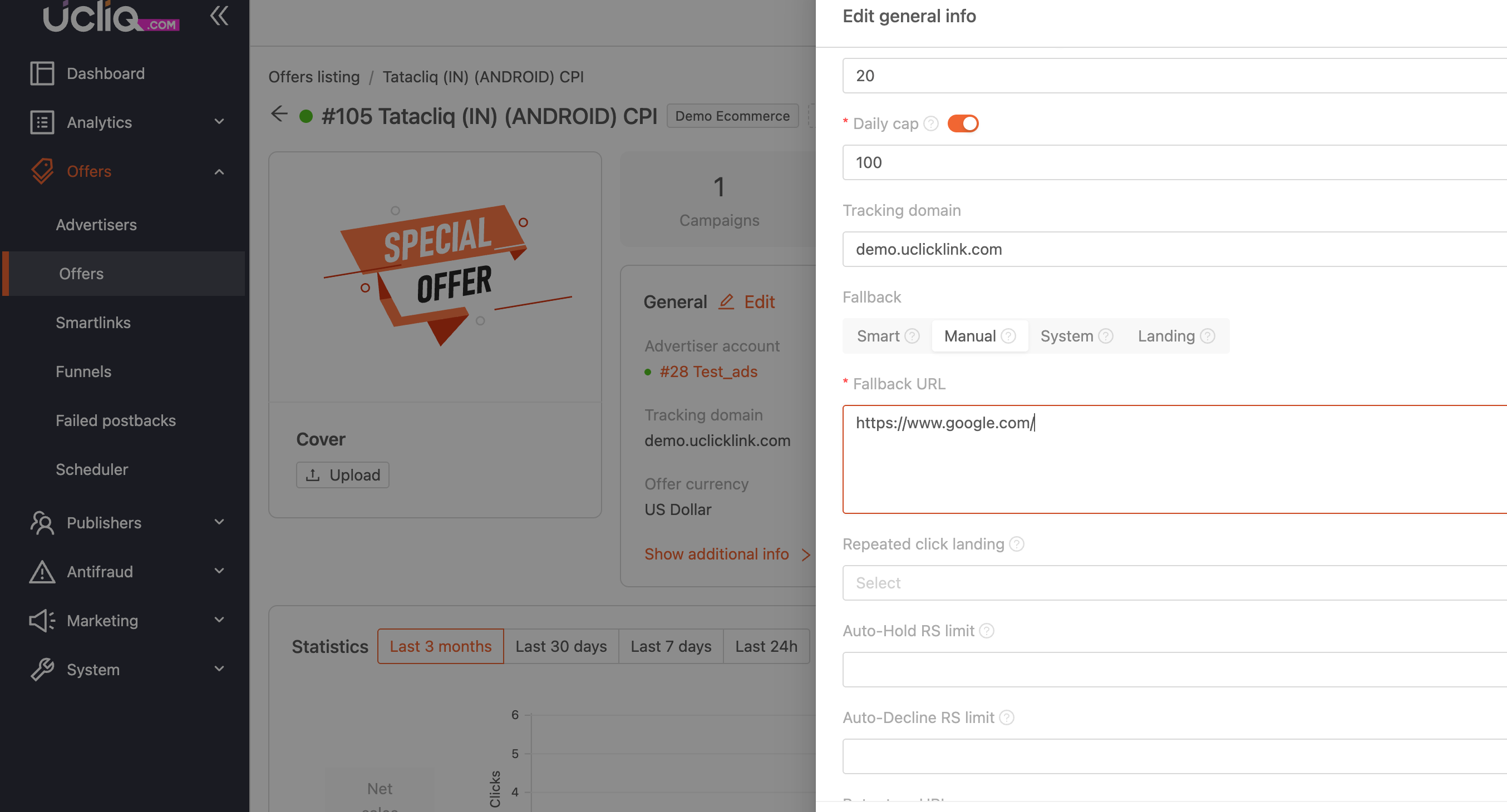
At the offer level, you can configure a fallback in the offer settings:
Offers > Offers > General edit > Choose fallback type
For Manual Fallback type you need to paste a value in “Fallback URl” where traffic will go
For landing Fallback type you need to choose a landing in “Fallback landing” where traffic will go: