An offer in UCLIQ represents a specific marketing opportunity provided by an advertiser. Offers are linked to advertiser accounts and are set up with targeting options, payout models, and restrictions to match specific traffic needs.
Advertiser accounts
Each offer belongs to an advertiser account. An advertiser account groups multiple offers under one external advertiser — the company you have a partnership with. You manage advertiser accounts in Offers → Advertisers.
Offer types
Direct — a standard offer that sends traffic directly to the advertiser's landing page. The most common type.
API — used with smartlinks or funnels. The system searches across multiple brokers for a suitable landing page, sends preland data, receives a landing URL, and routes the traffic there. API offers work as a bridge between your preland and external offer sources.
Google Ads / Microsoft Ads — advertising offers with parallel tracking. These generate special links for use in Google Ads and Microsoft Ads advertising accounts. Publishers run ads in their ad accounts, and traffic is tracked through UCLIQ.
Availability
Offers have three access levels:
Public — visible to all publishers. Publishers can create campaigns and start sending traffic without manager involvement.
On Request — publishers can see the offer but need manager approval to access it. The publisher requests access, and the manager approves or denies.
Private — hidden from the publisher list. Only managers can create campaigns and assign them to specific publishers.
Tabs
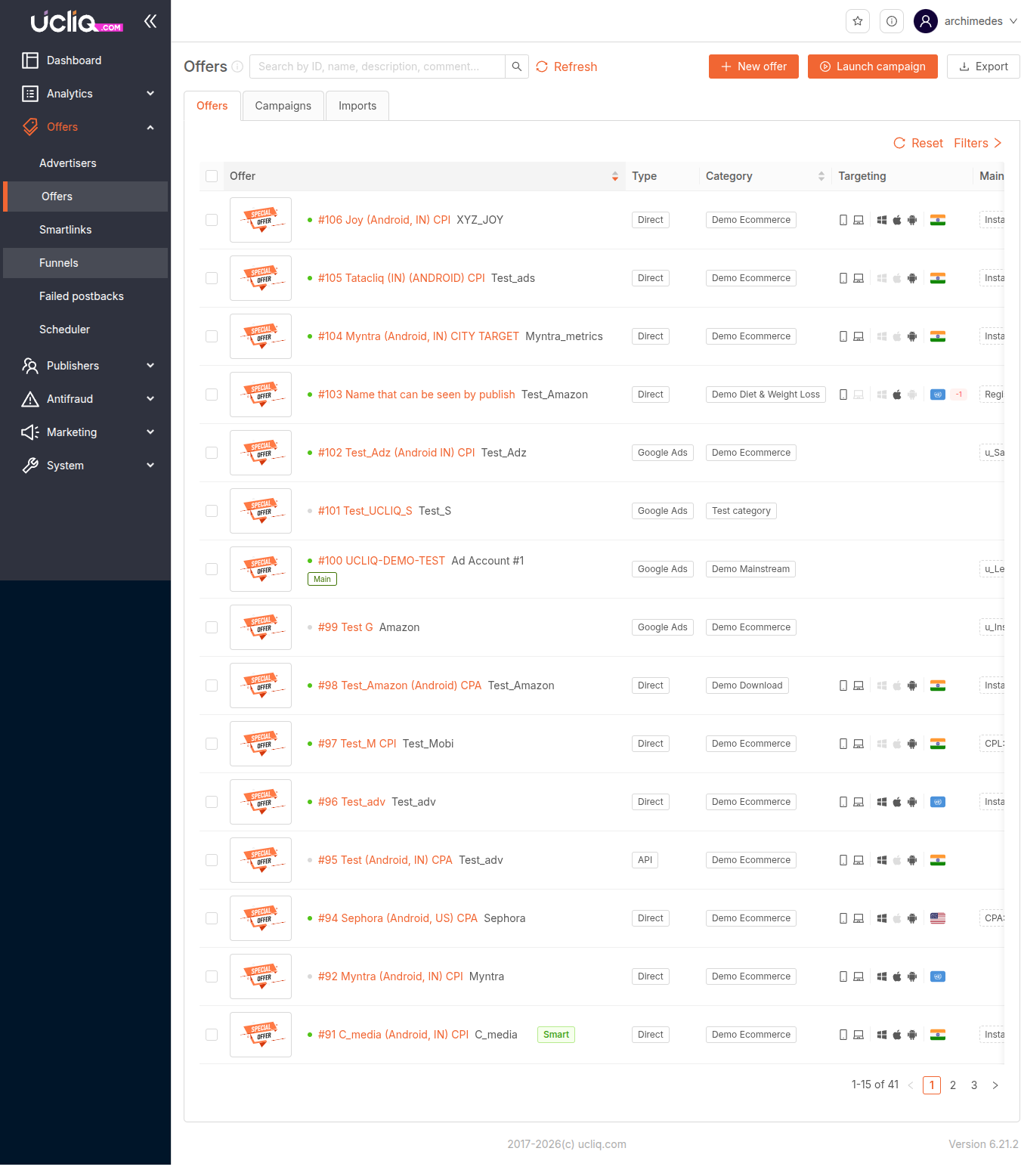
Offers — main listing. Columns: Offer (#ID, name, external ID), Type (Direct / API / Google Ads), Category, Targeting, Main goal, Volume for 7d.
Campaigns — campaigns attached to offers. Columns: Publisher, Offer, Offer type, Targeting, Campaign key, Domain, Status, Date, Actions.
Imports — bulk import of offers from external platforms. Columns: Offer, Details, Log, Date, Status. Supports creating new offers and updating previously imported ones. Requires a configured integration.
Controls
-
Search — find offers by name, ID, or external ID
-
New offer — create a new offer
-
Launch campaign — quickly launch a campaign from a selected offer
-
Export — download the offer list
-
Refresh — reload data
-
Reset — clear all filters
-
Filters — advanced filter panel
The table shows 15 entries per page with pagination.
Creating an offer
The creation flow has four sections:
General — name, advertiser account, currency, category, tracking domain, campaign availability (Available / On Request / Private), fallback URL, redirect type, risk score limit.
Targeting — you can set precise rules for which traffic reaches the offer:
-
Geography — country, region, or city. Traffic outside the target is redirected to a fallback.
-
Device — mobile, desktop, or tablet.
-
Platform / OS — Android, iOS, Windows, Mac, and others.
-
Traffic types — display, email, social media, and more.
-
Connection type — Wi-Fi or mobile data.
-
Bot handling — set a separate redirect URL for bots and crawlers.
Link — landing page URL with macros like {click_id} and {publisher_id}. You can also set prelands to filter traffic before it reaches the offer.
Goals and Rates — each offer can have multiple goals with individual settings:
-
Payout model — Ratio (percentage of revenue), Fixed (set amount), or Cumulative (accumulates conversions into a larger payout).
-
Publisher payout type — Multiple (pay per conversion), First (pay only the first conversion per click), or Disabled.
-
Daily cap — limit conversions per goal per 24 hours.
-
Publisher cap — individual conversion limits per publisher.
Tags — offers can be tagged for two purposes:
-
Feature tags — mark specific characteristics of the offer for internal organization.
-
Smartlink tags — customize how the offer behaves in smartlink routing, affecting which traffic gets directed to this offer.