About Publisher Availability and Blacklists
Offers in UCLIQ have three main modes of availability to publishers that determine how publishers can discover and launch them:
-
Public (Available) — visible to all publishers. Publishers can create campaigns and start sending traffic without manager involvement.
-
On Request — publishers can see the offer but need manager approval to access it.
-
Private — hidden from the publisher list. Only managers can create campaigns and assign them to specific publishers.
Availability vs blocking
The availability mode only controls whether a publisher can see and launch the offer. It does not control whether a publisher can send traffic to the offer after launch. To restrict traffic after a campaign is running, you use blocking.
Blacklist (publisher blocking)
By default, any publisher who has launched a campaign for an offer can send traffic to it. If you need to stop a specific publisher from sending traffic — without changing the offer's availability mode — add that publisher to the Blacklist.
Once blocked:
-
All traffic from that publisher to the offer's campaign is redirected to the Fallback URL.
-
If the offer uses smart routing, traffic is redirected to another compatible offer.
-
In smartlink campaigns, a blocked offer will not be selected for that publisher.
Subsource blacklist
A subsource is a sub-publisher identifier passed in the tracking URL (e.g., when an affiliate network or advertising platform operates as a publisher). Blocking a subsource works the same as blocking a publisher, but only blocks traffic with that specific subsource value — other traffic from the same publisher continues normally.
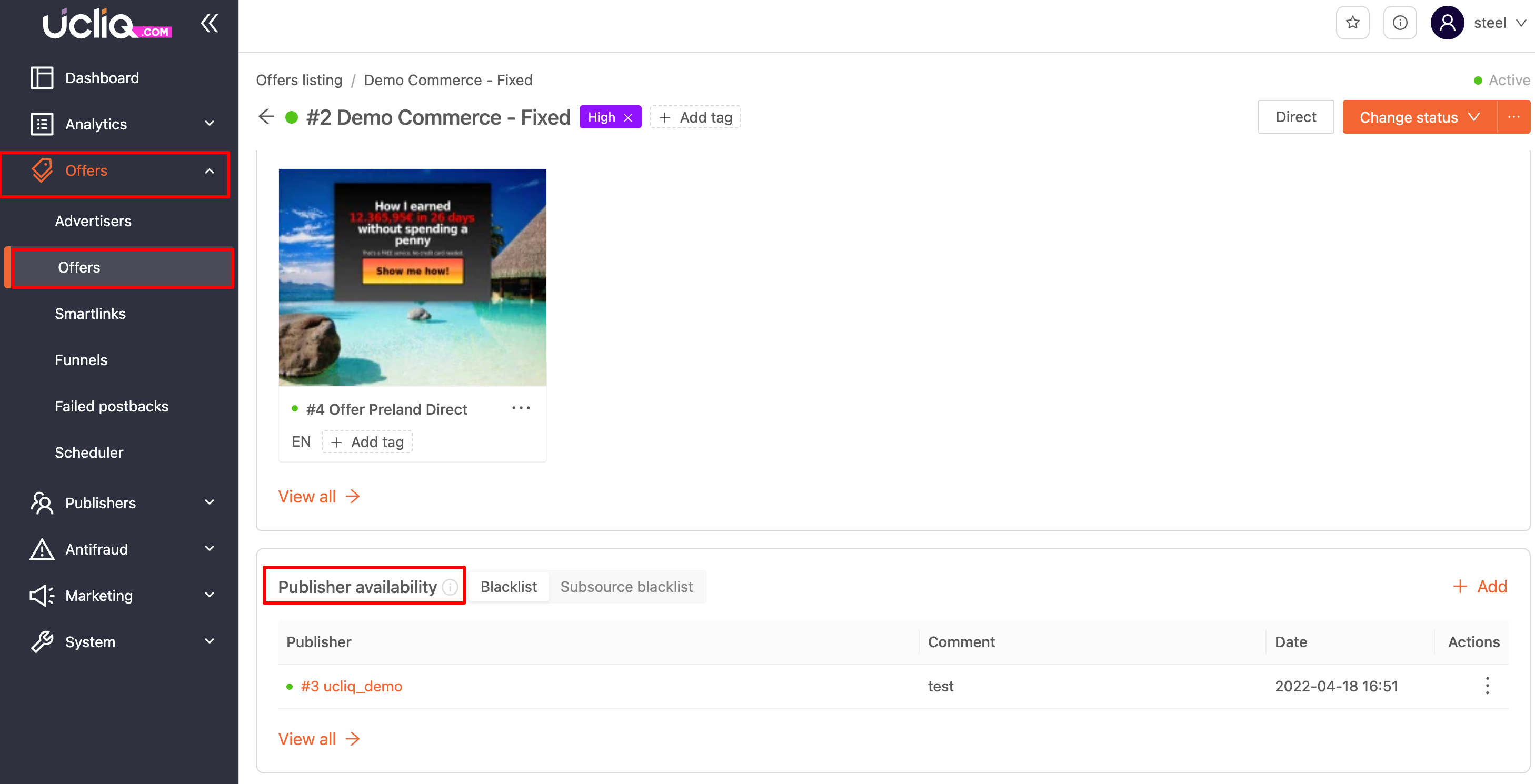
Publisher Availability section
The Publisher Availability section in an offer shows all active blocks: which publishers and subsources are blocked for this offer, and which offers a publisher can access in exclusive mode.
The exclusive list shows publishers who have access to offers from advertiser accounts set to exclusive mode.
Smartlink behavior
When a publisher is blocked in an offer, that offer will not be selected by smartlinks for that publisher's traffic. This allows precise control over which offers appear in smartlink routing without removing the offer from the smartlink entirely.
Best practices
-
Use availability modes (Public / On Request / Private) to control who can discover and launch an offer.
-
Use blacklists to control who can send traffic to an already-launched offer.
-
Use subsource blacklists to block only low-performing or fraudulent sub-publishers without affecting the main publisher's traffic.