About Smartlinks
Smartlinks are intelligent tracking links powered by a machine learning algorithm that automatically routes traffic to the best-performing offers within the same category. They are the primary traffic distribution mechanism in UCLIQ — most ad campaigns use smartlinks because they automatically optimize to the highest-paying offer without manual intervention.
How Smartlinks Work
When a visitor clicks a smartlink URL (/s/{key}), the Traffic Delivery System (TDS) processes the request and selects an offer based on the following factors:
-
Traffic type & Geo-location — ensures traffic matches offer restrictions and target regions
-
Device & Platform — mobile, desktop, tablet, OS-level targeting
-
Publisher reputation — some offers are only accessible to high-reputation publishers
-
Publisher + Subsource — each publisher+subsource combination is treated as a separate stream by the algorithm, allowing per-subsource optimization
-
Daily caps — offers that reached their 24-hour sliding window limit are excluded
-
EPC (Earnings Per Click) — the core optimization metric, analyzed by device, country, publisher, subsource, and traffic type
The algorithm uses a multi-armed bandit approach (king of the mountain):
-
90% of traffic goes to the top-performing offer
-
10% goes to random offers for exploration
-
EPC values are exponential and real-time: for each click EPC decreases, for each conversion it increases
-
If an offer stops converting, within 10–30 clicks it drops from first place and a new offer takes over
-
Each publisher+subsource has its own top offer, which can change within minutes
Smartlink URL Format
Smartlinks use the /s/{key} path. For example:
https://track.yourdomain.com/s/your-smartlink-key
This URL is what publishers use in their ad campaigns. The TDS resolves it, selects the best offer, and redirects the visitor.
Creating a Smartlink
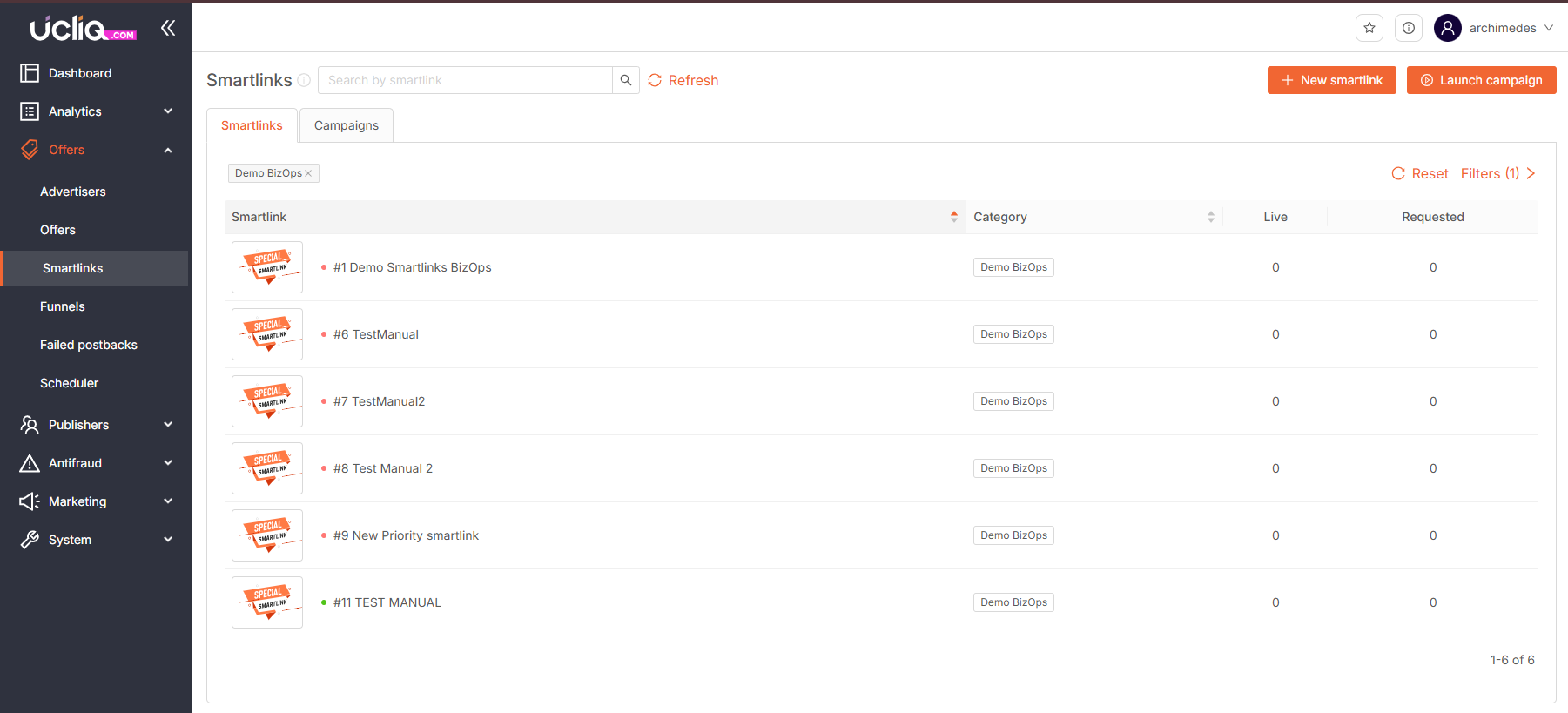
Go to Offers → Smartlinks and click New smartlink. Configure:
-
Name — identify your smartlink
-
Category — selects all active offers with smart routing enabled in this category
-
Payout model — payment model for offers
-
Traffic types — allowed traffic sources
-
Bot return URL — redirect for bots and crawlers
-
Budget — spending limit (existing or new budget)
-
Fallback URL — backup for unmatched traffic
-
Back button URL — used when Back is clicked on the prelander
-
Status — Disabled, Private, Public, or On Request
-
Description — notes for internal use
Configuring a Smartlink
Click a smartlink card to open its configuration:
Overview
-
Redirect type — Default, HTTP (for media buying platforms), or JavaScript (blocks bots)
-
Suppress conversions — filter out postbacks below a minimum amount
-
Exit popunder — handle prelander close events
Statistics
Basic performance report with standard periods. Click Report for the full analytics view filtered by this smartlink.
Custom Traffic Rules
Route specific traffic to specific offers based on publisher, publisher tag, geography, offer, or devices. When traffic matches a rule, it goes to the specified offer regardless of what the AI would choose. For more precise control, use smart routing tags instead.
Custom Payout Rules
Set fixed cumulative-mode payments for traffic matching rules by publisher, geo, device, and rate.
Smart Routing Tags
Tags provide precise control over which offers a publisher can access through a smartlink. Three tag types work together:
-
Publisher tag — assigned to the publisher. Must match for offer access.
-
Advertiser account tag — set on the advertiser account. If specified, only publishers with matching tags can access offers from that advertiser.
-
Offer smart routing tag — set on each offer. Determines which publisher groups can access this offer.
If no advertiser account tag is specified, all offers from that advertiser are available to any publisher. When offer tags are applied, at least one must match a publisher tag for the offer to be selected.
Use case: Create separate traffic streams — route high-quality publishers to premium offers, and others to standard offers — without creating multiple smartlinks.
Offer Selection Flow
-
TDS receives a request with publisher ID, subsource, geo, device, and traffic type
-
System checks smart routing tags to determine eligible offers
-
Available offers are filtered by daily cap (24-hour sliding window) and publisher-specific caps
-
The ML algorithm ranks eligible offers by real-time EPC
-
Top offer gets ~90% of traffic, remaining offers share ~10% for exploration
-
Selected offer must have available cap — if not, the next offer is tried
-
If no offer can be selected, traffic falls back to the Fallback URL
Caps and Limits
-
Daily cap — checked by sliding window (last 24 hours at click moment, not calendar day). This prevents overflow across time zones.
-
Publisher cap — individual conversion limit per publisher on an offer. Allows controlling how much traffic each publisher sends to popular offers.
-
Force mode — specify exact click counts from specific publishers to force traffic to an offer for testing or boosting.
Funnels (Manual Smartlinks)
Funnels give you full manual control over traffic routing, unlike automatic AI-driven smartlinks. They ignore offer targeting, category, and optimization settings.
-
Weighted Funnels — traffic distributed among offers by assigned weights (probabilistic)
-
Prioritized Funnels — traffic follows a strict priority order
Each funnel rule can have its own targeting: publishers, platforms, traffic types, countries, devices, connection types. After a rule is selected, offers within it are checked by cap and either priority or weight order.
Deduplication
Smartlinks use cookies and browser fingerprinting to avoid sending the same visitor to an offer they've already seen and didn't convert on. This applies both with and without prelands and improves conversion rates by 5–10%.
Key Properties
-
Statuses: Active, Suspended, Archived, Deleted
-
Redirect types: Default, HTTP, JavaScript
-
EPC is calculated per publisher+subsource — each stream gets its own optimization
-
Multi-goal offers work naturally — the algorithm promotes offers that generate recurring conversions (e.g., revshare)